In the dashboard the following metrics are shown:
Credits
Here you can see the number of credits used in the current billing phase. This number resets when the next billing phase starts.
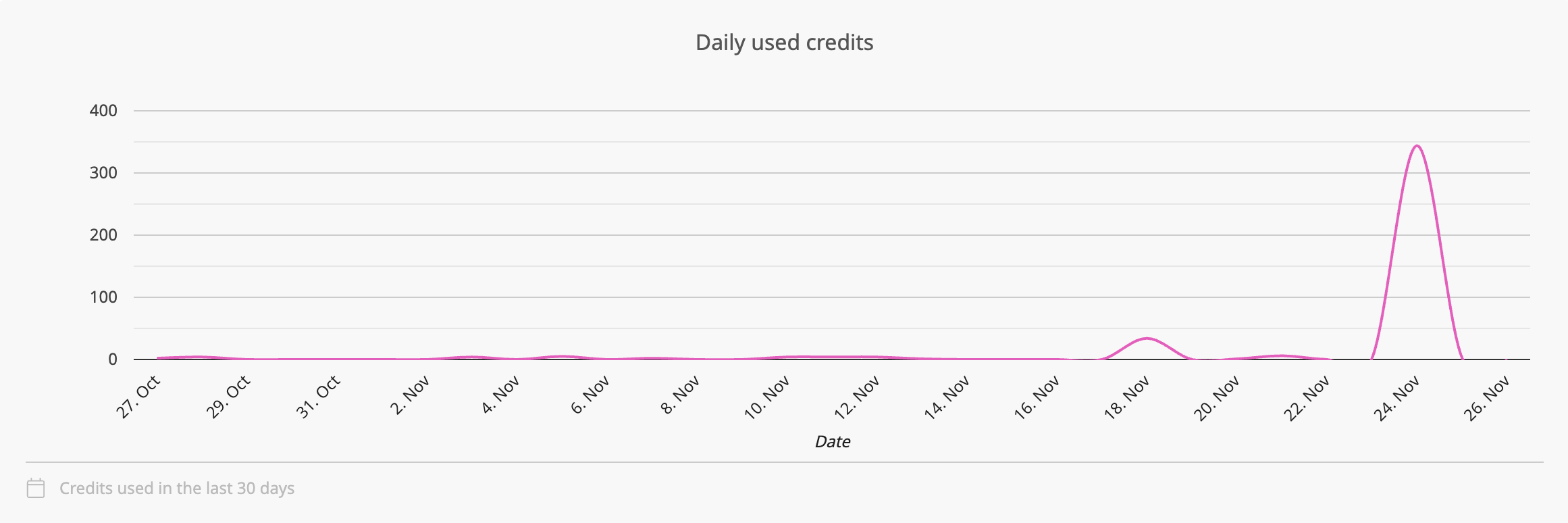
The diagram will show any usage independent from your billing phase during the last 30 days.
Total Storage
This is your current storage usage for Templates and all Template resources.
Order data and customer images are not counted here. By default, order PDFs or uploaded customer images are deleted from the platform after 30 days.
Order data which you set to “not expire” via an API will be counted in your storage usage, so be careful using this function.
Images
Shows the storage usage of all Images on your Account.
Fonts
Shows the storage usage of all Fonts on your Account.
Snippets
Shows the storage usage of all Layout and Sticker Snippets on your Account.
3D Models
Shows the storage usage of all 3D Models on your Account.
User Data
Shows the storage usage of all User Data on your Account.
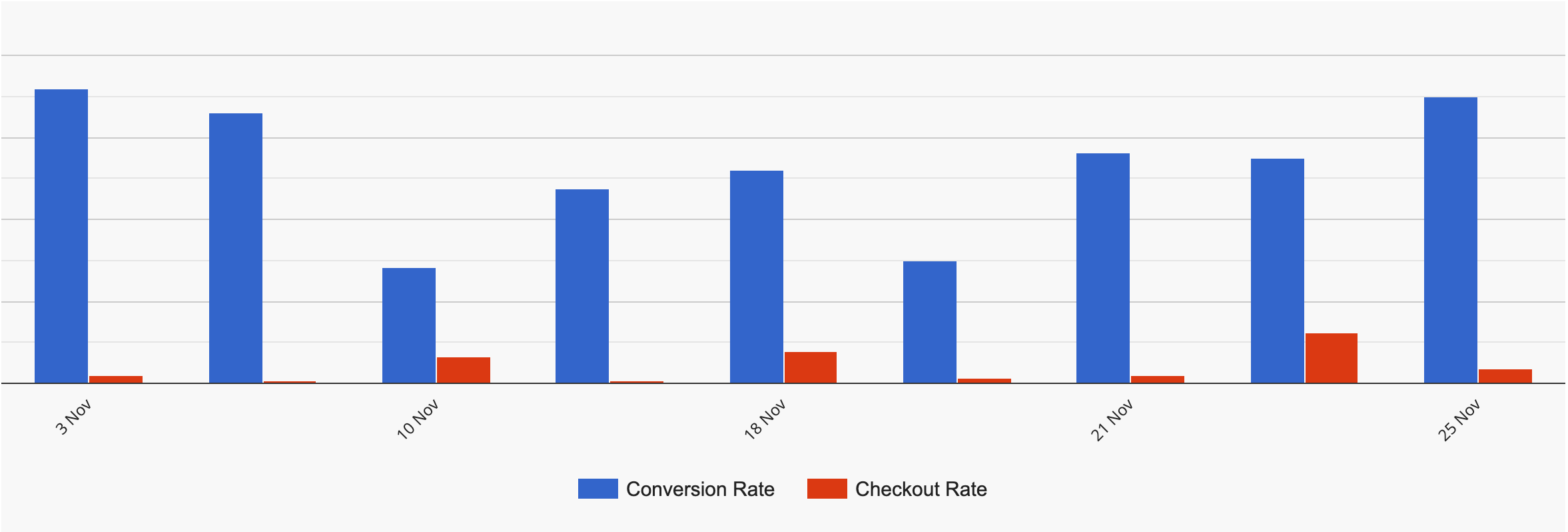
Shows you the rates of the last few weeks.
Shows you the Sticker Snippets and Layout Snippets used through a period of time.

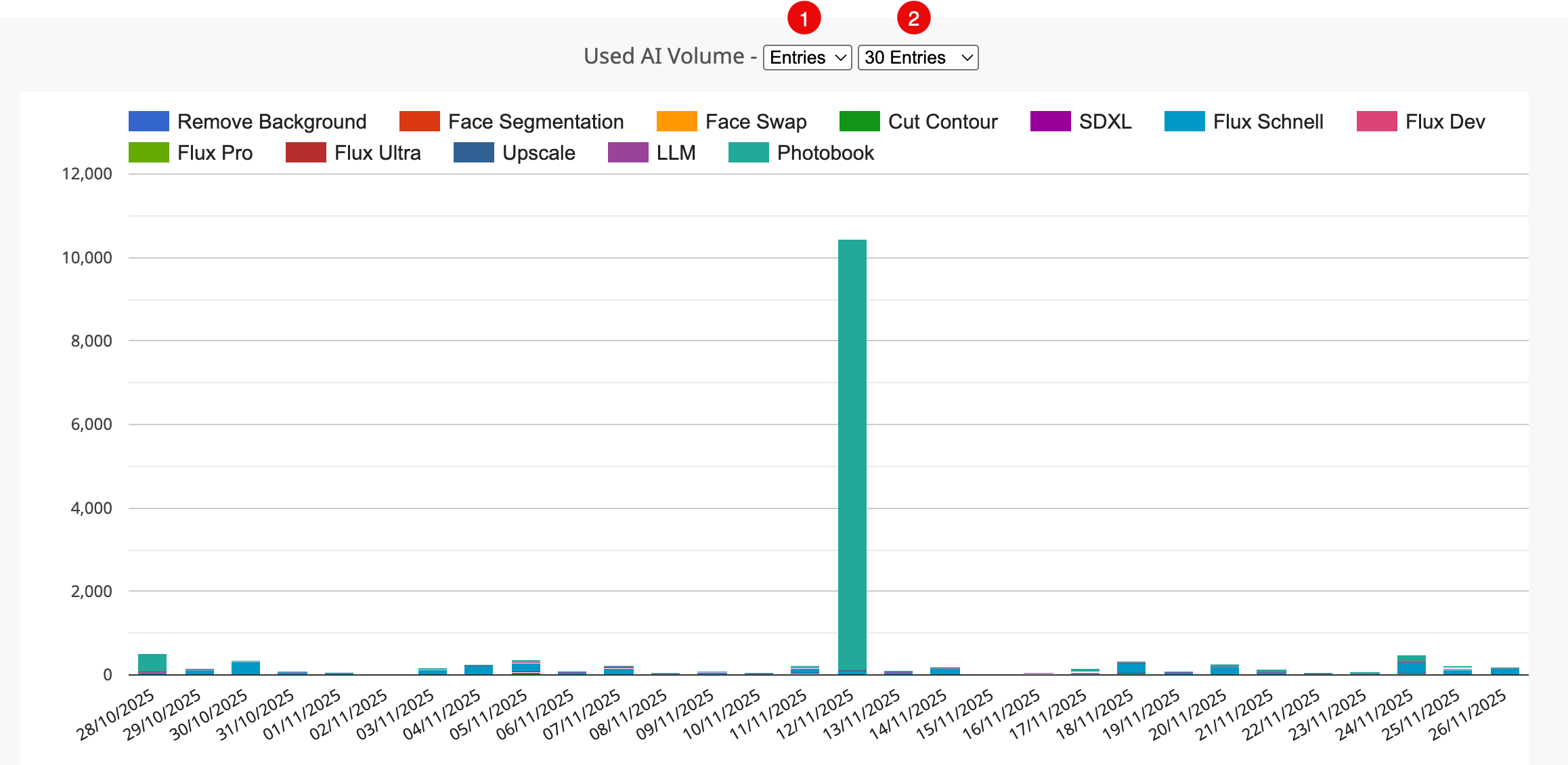
Shows you the volume of all AI credits used.
Shows you Credits used for Print Production on a daily base.
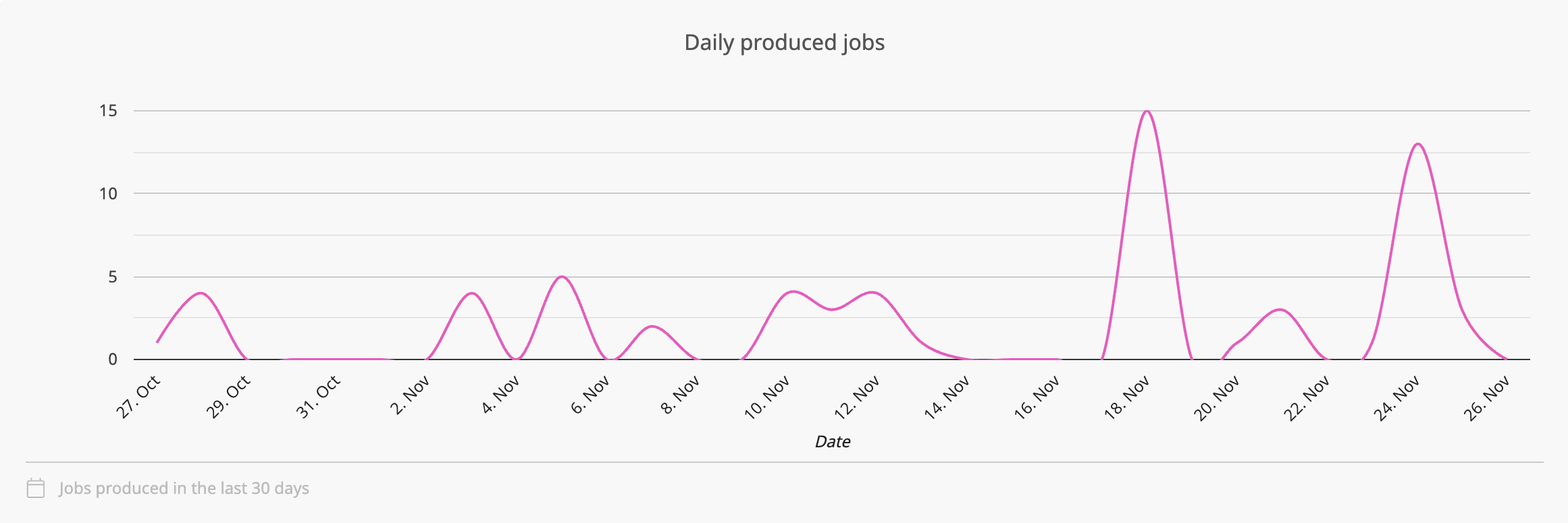
Shows you the number of Print Jobs produced by day.
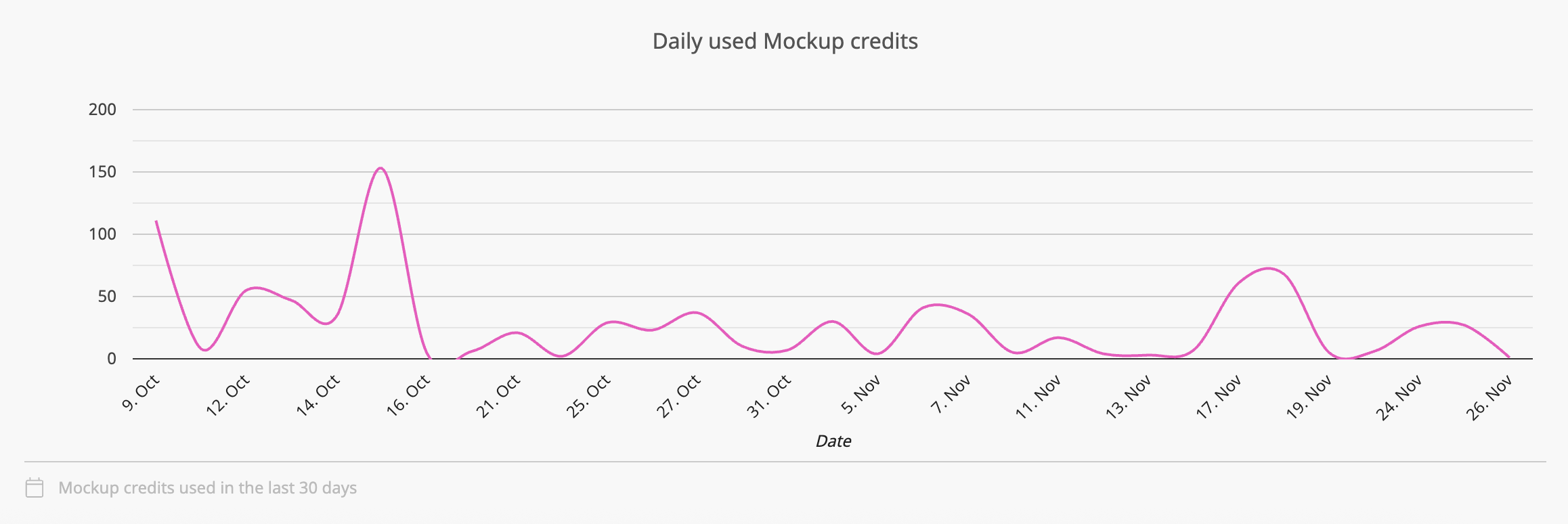
Shows you the number of Credits used per day for the Mockup rendering.