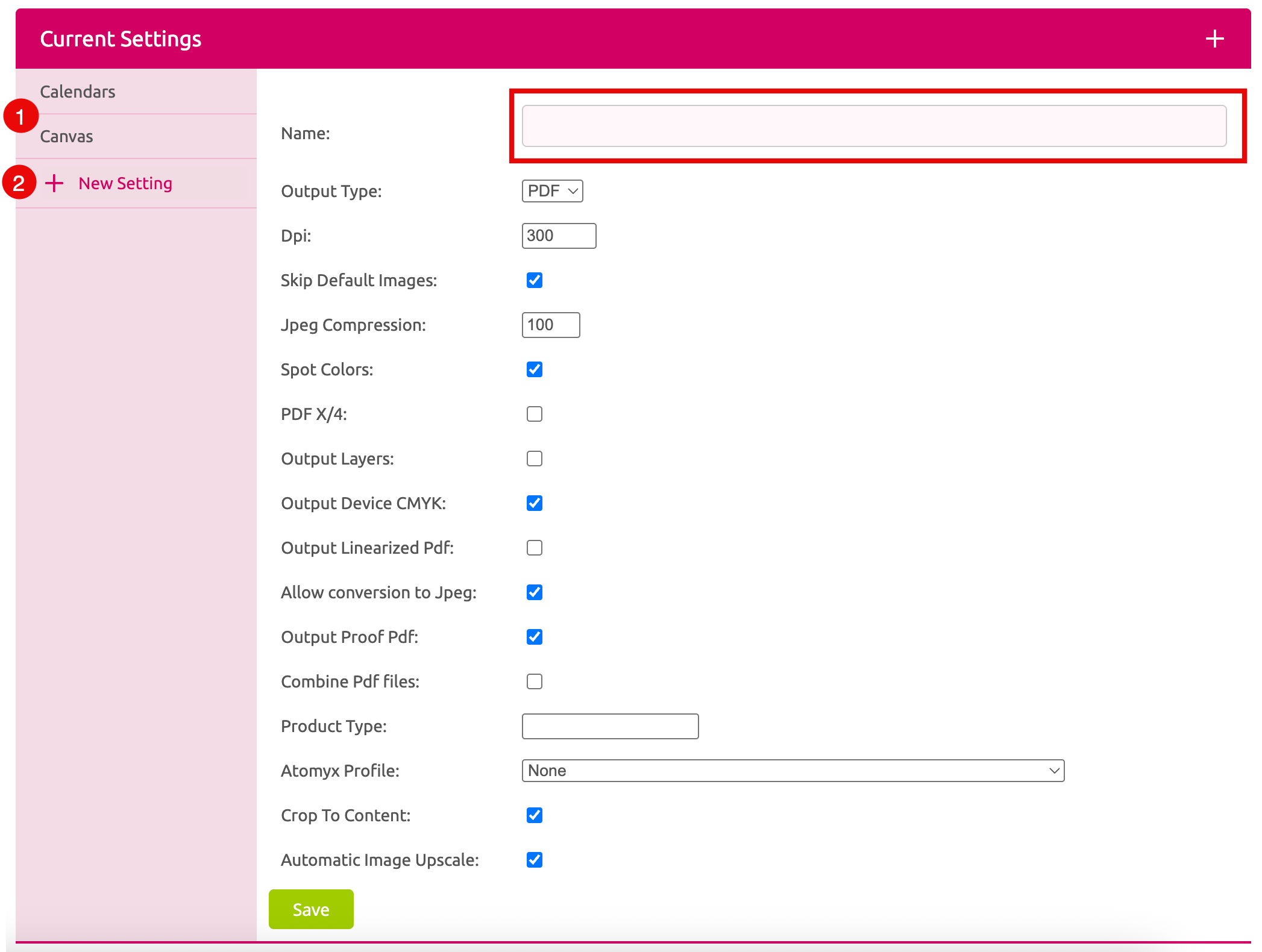
Create and manage your Print Settings.
You can click on one of the available Print Settings to change and Save them or to delete them with the button Delete Setting.
You can add a new Setting if you press New Setting. Then you can define the set up and a name to Save it.
Any Print Setting can be assigned to a Printess Template through the Print Dialog where you can test all Settings upfront.
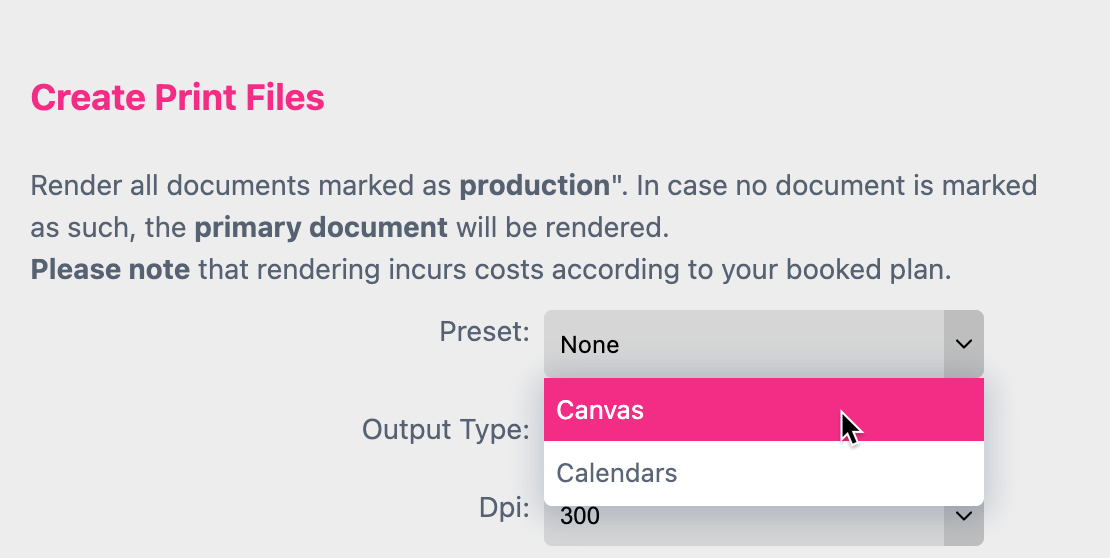
How this works in detail and what these Print Settings are about is explained here