These Templates are still editable by the Buyer.
First create the standard template the customer should be able to edit.
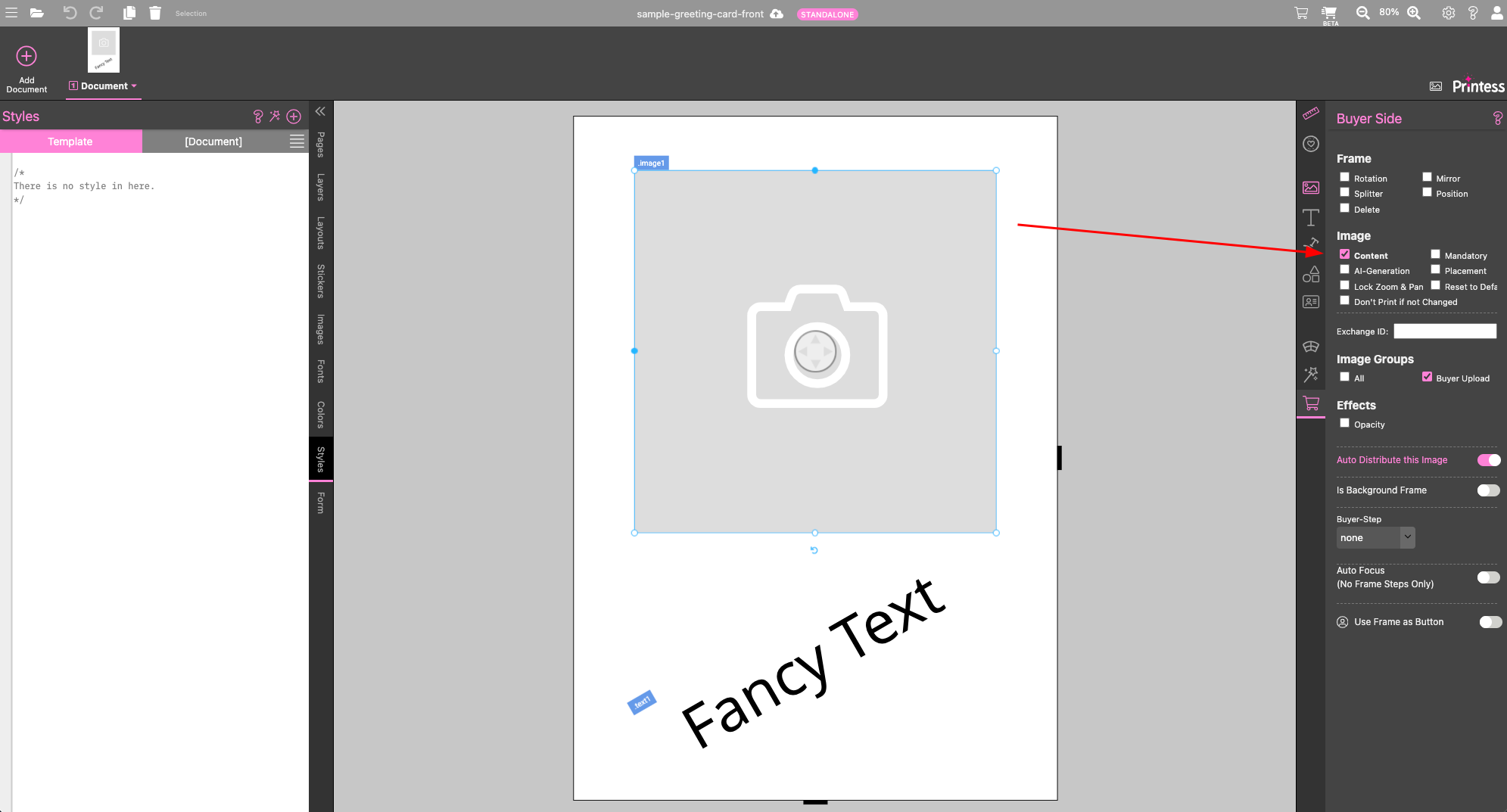
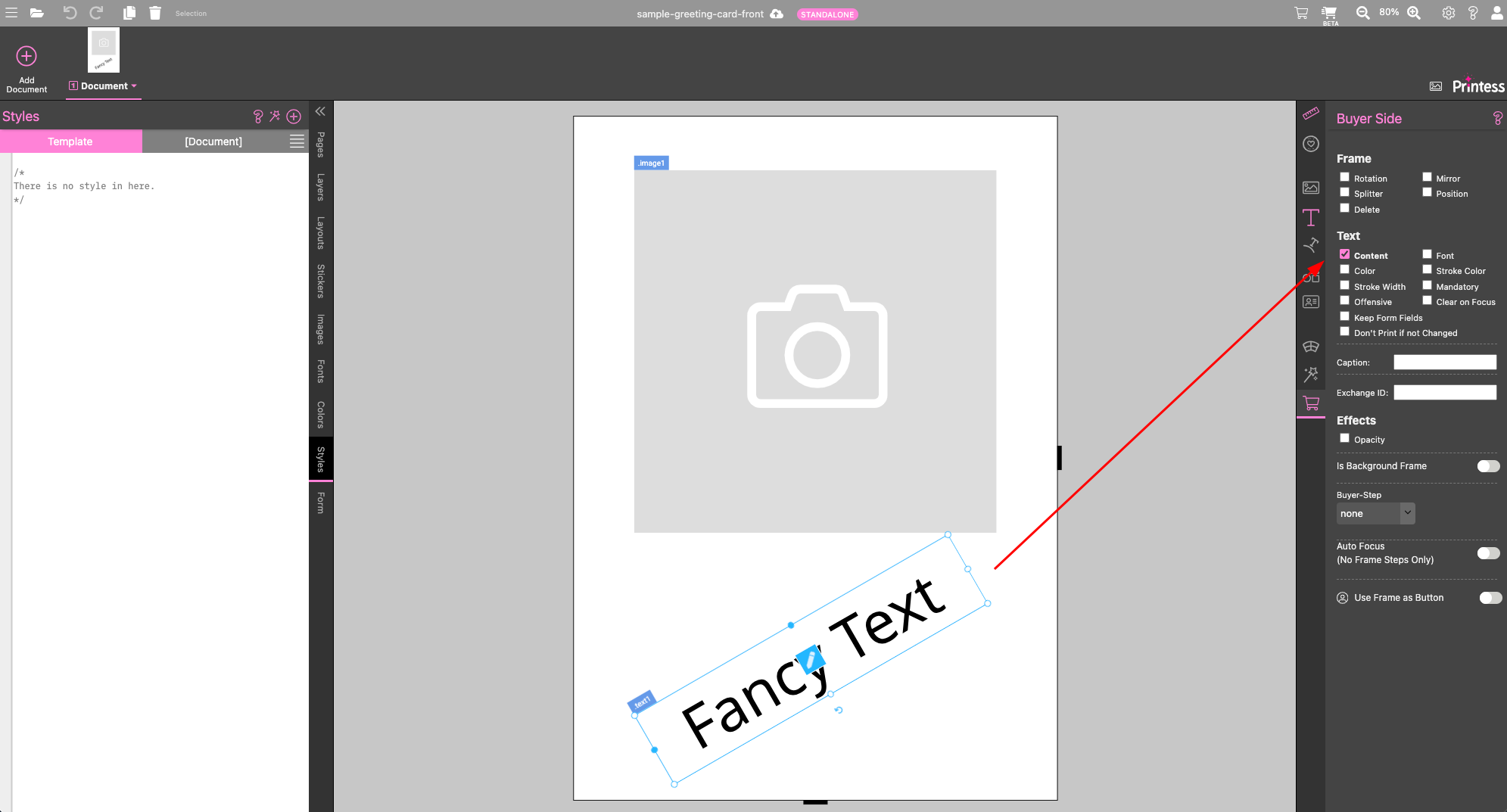
In this example an image and text can be edited.
To enable customer edits, simply enable the content flag.
To make those frames editable from remote, style classes need to be added to the frames you want to control.
For the image frame the class image1 is added. For the text frame text1.
This will not do anything in this template, since no styles with those names exist.
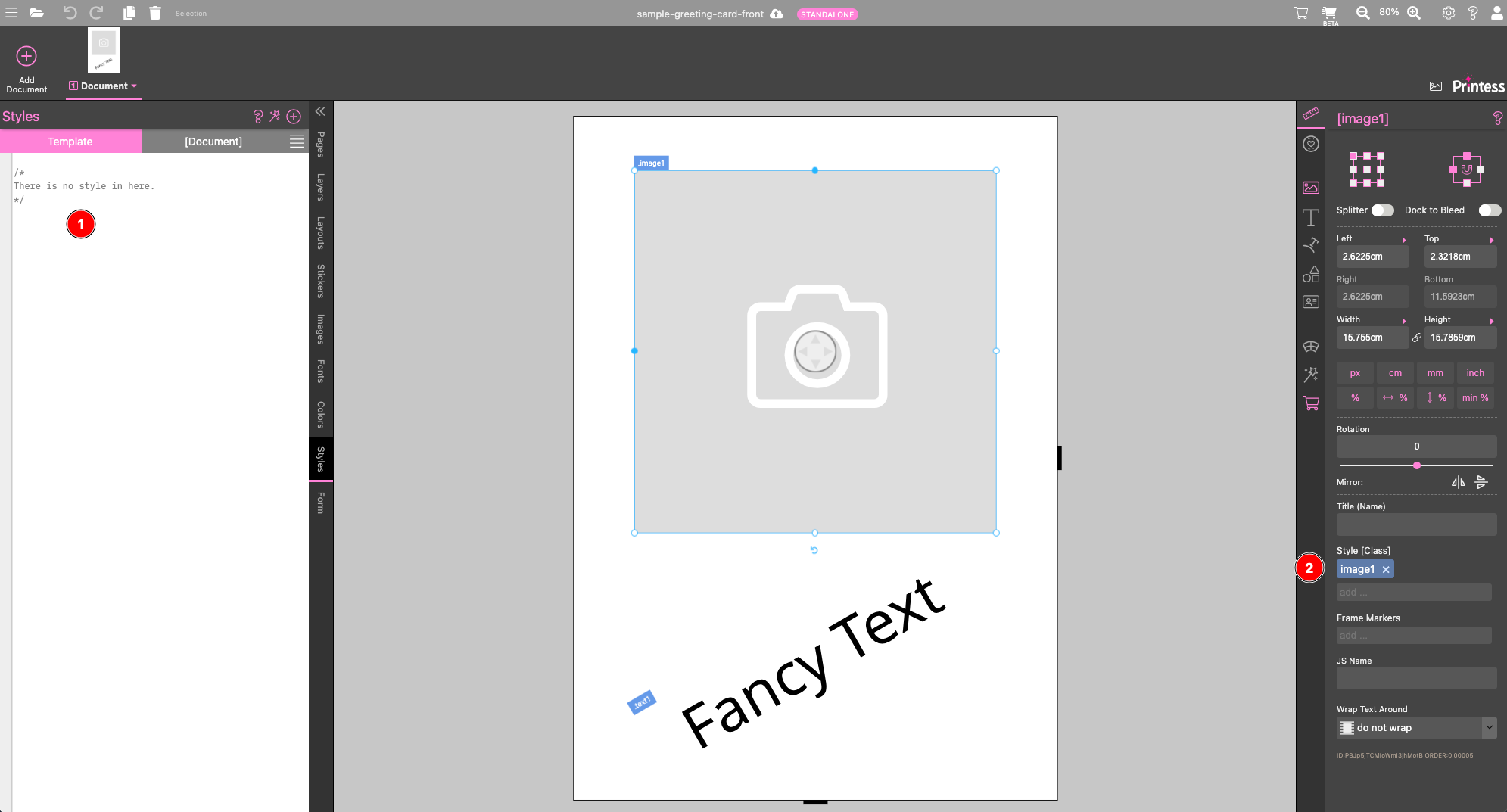
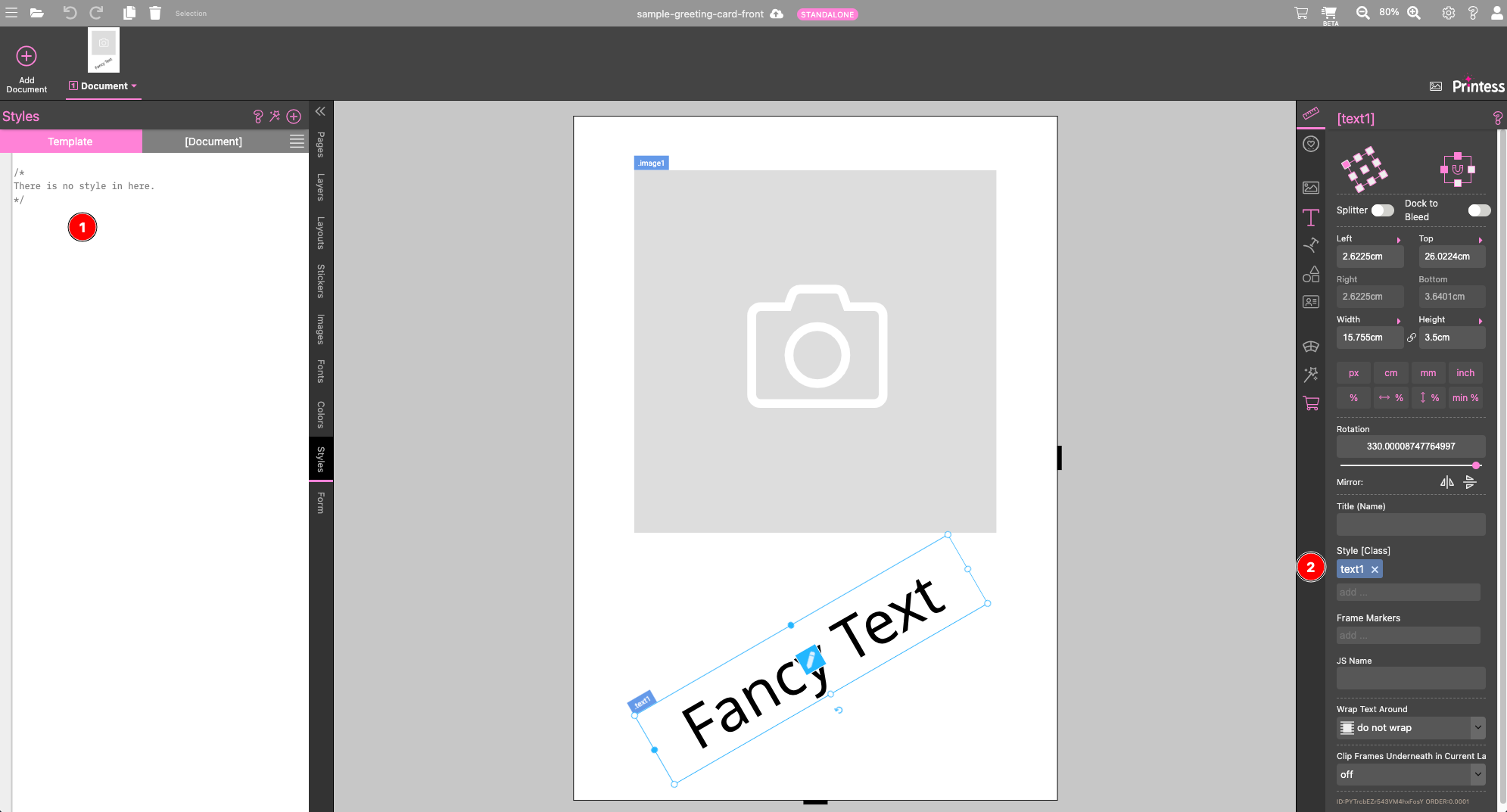
By assigning styles beforehand you create the possibility to add those style classes later on and assign nearly every property of those frames. You can test this template by clicking here
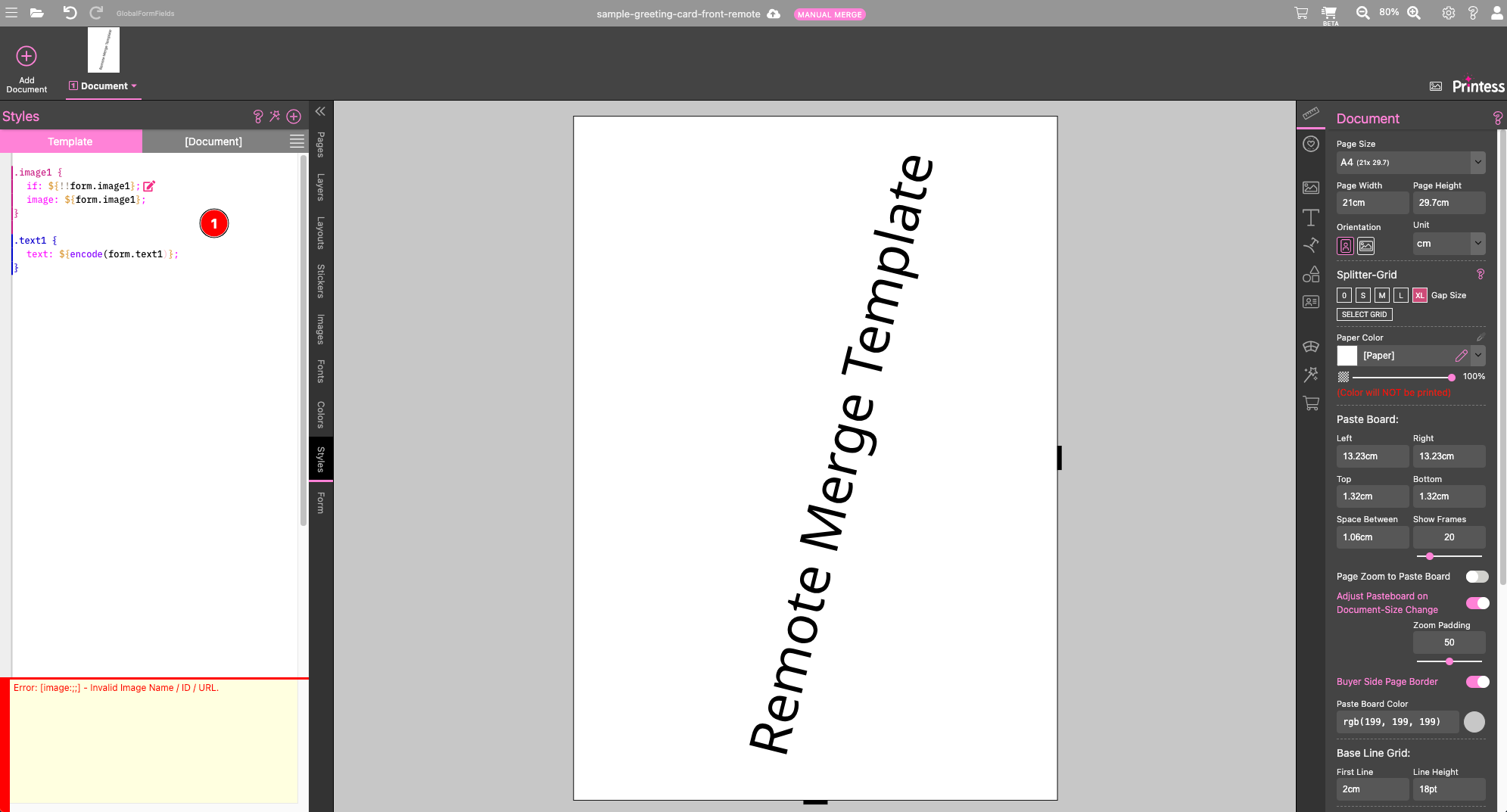
In the remote template - which will be merged via the production/produce api call later on - create the style classes image1 and text1 with the properties you want to control during production.
Here we assign an image with a form field called image1 and the text with a form field called text1.
Of course you can overwrite more properties by adding more form fields and sending those during the production call.

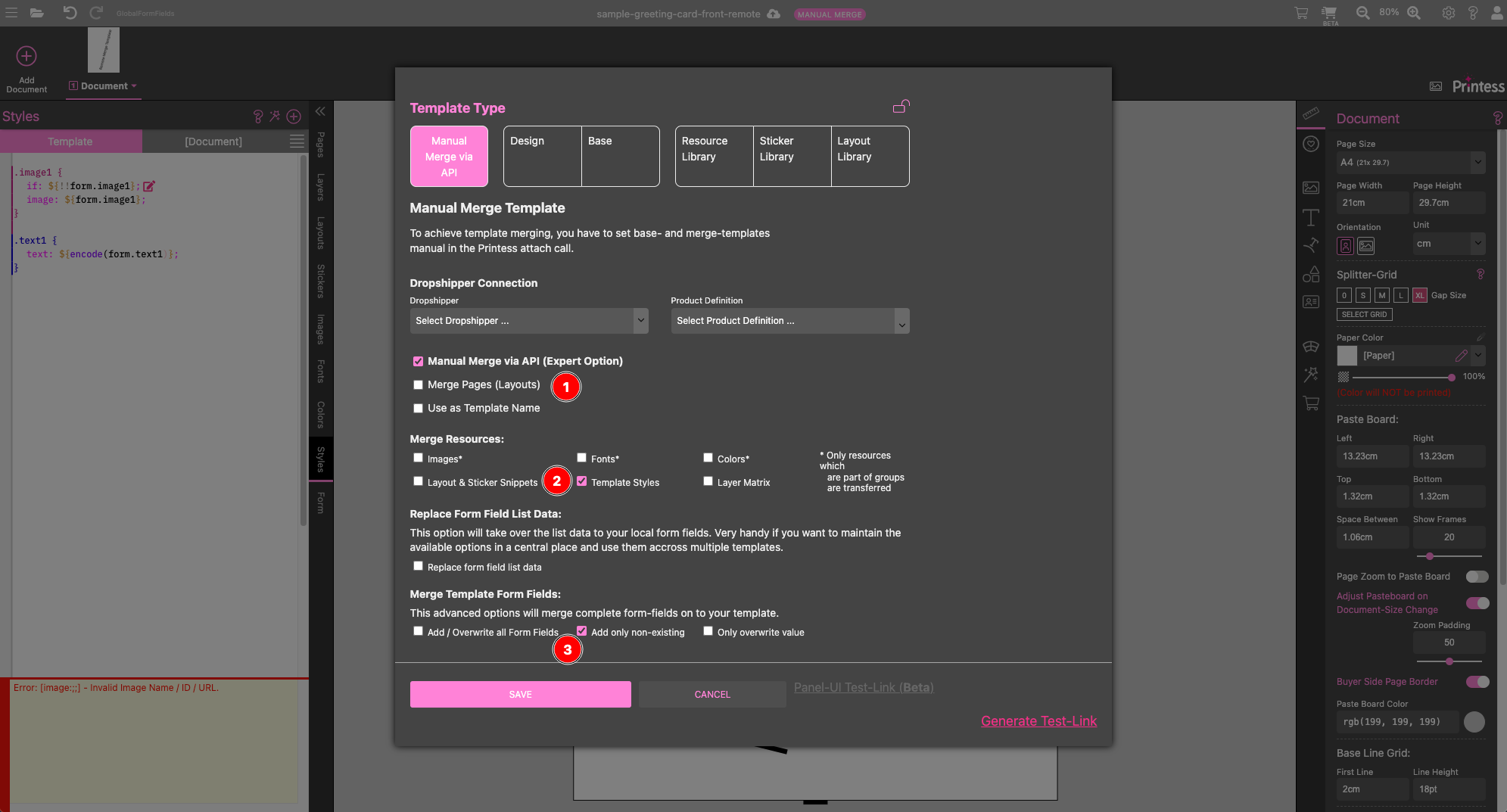
As next step the merge settings for this Template need to be adjusted. Make sure you do not merge the pages. Enabled template style and one of the best matching form field settings.
In this scenario I took the option add only non existing Form Fields. You could also use add / overwrite all form fields.
Everything comes together when using the api call production/produce. Please set your service token before trying to send the request.
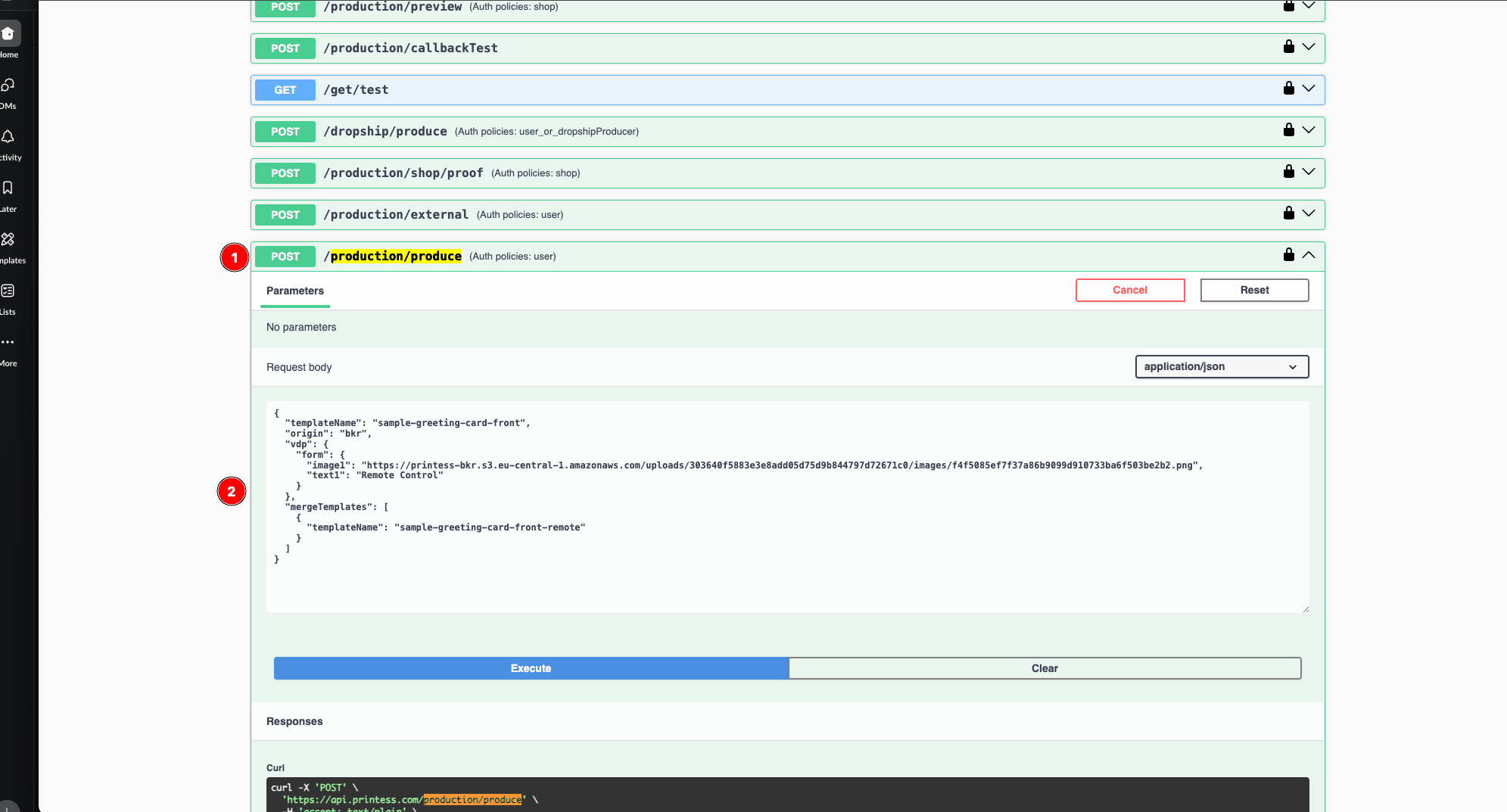
Now you can produce the template and merge the remote template on top to control both frames.
  "templateName": "sample-greeting-card-front",
  "origin": "Remote Test",
  "vdp": {
    "form": {
      "image1": "https://printess-bkr.s3.eu-central-1.amazonaws.com/uploads/303640f5883e3e8add05d75d9b844797d72671c0/images/f4f5085ef7f37a86b9099d910733ba6f503be2b2.png",
      "text1": "Remote Control"
    }
  },
  "mergeTemplates": [
    {
      "templateName": "sample-greeting-card-front-remote"
    }
  ]
}
When everything is configured correctly you should get an output like this:
